
Introduction
Google Antigravity is an AI-powered integrated development environment (IDE) built around an “Agent-First” design philosophy. It launched in Public Preview on November 18, 2025, alongside Gemini 3—signaling a major shift from “AI-assisted” coding to a true “agent-first” development paradigm.
Honestly? I didn’t pay much attention when Antigravity first dropped. In my previous article, “2025 AI Subscription Reshuffle: Maximizing Value with GitHub Copilot and Gemini 3”, I concluded that VS Code + GitHub Copilot was already handling my daily development needs pretty well.
Then, on December 1st, I decided to give Antigravity a proper try.
The results surprised me. In just 7 days, I took a project that only existed in my head and built it from 0 to 100%. That kind of productivity boost made me completely reevaluate the tool’s value.
In this article, I’ll cover how to get started with Google Antigravity and dive deep into what developers care about most: data privacy, model training policies, usage limits, and how it stacks up against GitHub Copilot.
📥 Download: https://antigravity.google/download
Windows users:winget install -e --id Google.Antigravity
What Is Google Antigravity?
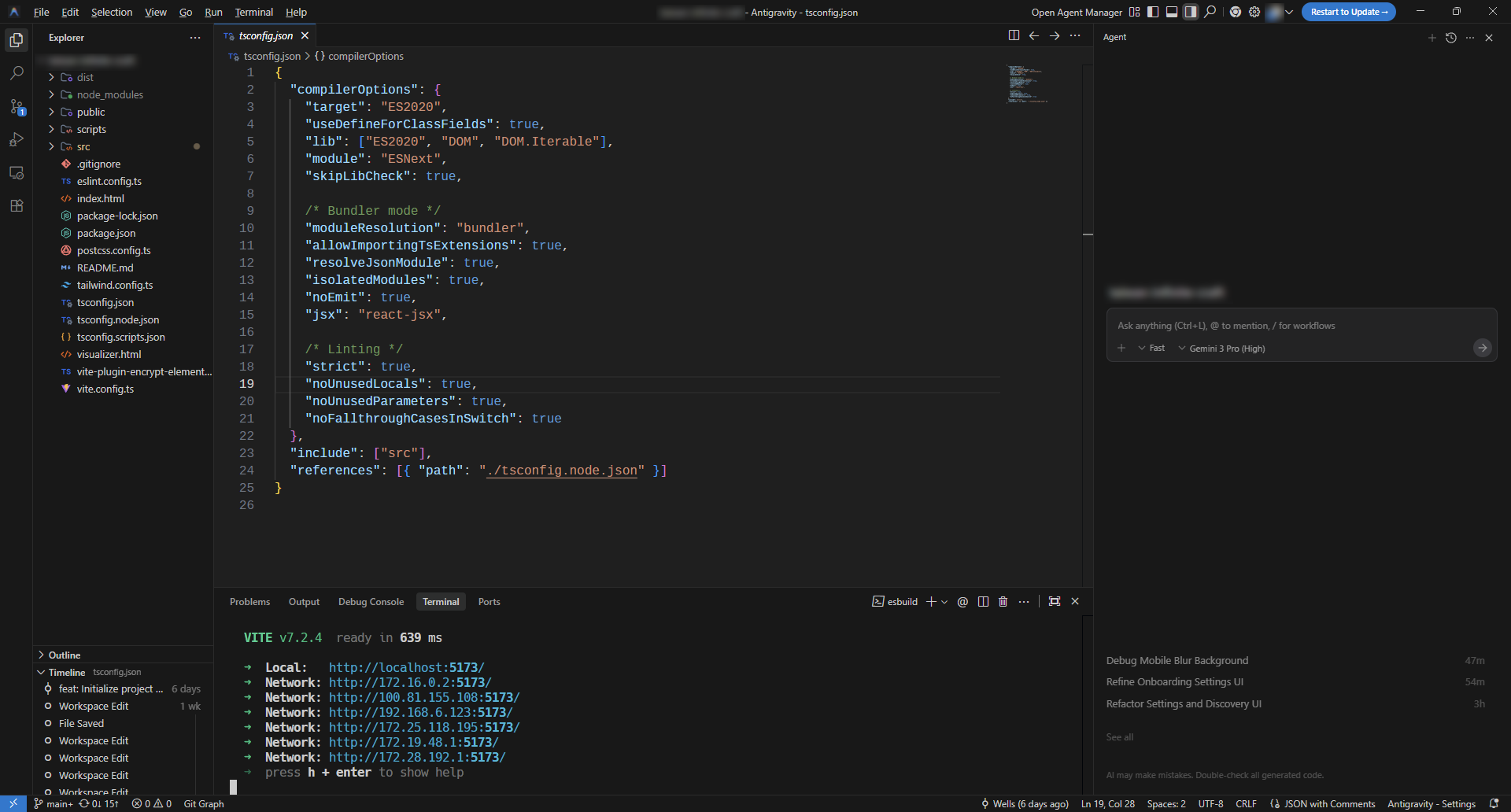
Google Antigravity is Google’s next-generation AI coding platform, built on the VS Code architecture.
Think of it as VS Code with one key swap: GitHub Copilot is replaced by Antigravity’s agent system. Just log in with your Google account, and you’re ready to code.
Since Antigravity shares VS Code’s codebase, switching between them is seamless. Workflows, configuration files, and keyboard shortcuts are nearly identical.
The main difference? The AI assistant shortcut. VS Code uses Ctrl+Shift+I for Copilot; Antigravity uses Ctrl+L to open the chat window. Beyond that, the experience feels almost the same as VS Code.
Two Main Views
Unlike traditional AI assistants, Antigravity adopts an “agent-first” design with two distinct interface modes:
Editor View: Inline auto-completion and chat features similar to GitHub Copilot. Best for hands-on, fine-grained control.
Manager View: The real innovation. Here, you act as an “architect” rather than a “code monkey”—reflecting a shift from individual contributor to engineering manager.
Personally, I still prefer Editor View. It matches my daily habit of writing code in VS Code.
Key Features
Asynchronous Execution
Unlike competitors’ linear chat interfaces, Antigravity’s agents work asynchronously. Assign a high-level task (e.g., “refactor the authentication flow”), then switch to another file and keep working. The agent plans and executes in the background.
Multi-Agent Orchestration
You can spawn multiple agents at once. For example:
- One agent refactors backend APIs
- A second updates frontend React components
- A third writes and runs Jest tests
This parallel processing capability is a key architectural advantage.
Artifacts System
Agents produce structured deliverables as verifiable proof of work:
- Implementation Plans
- Task Lists
- Diff Reviews
- Browser Recordings
This lets you “audit” what the agent did—not just accept code blindly.
Agentic Browser
Antigravity includes a built-in browser with agentic capabilities. This is one of its biggest differentiators from Cursor or GitHub Copilot.
Visual Perception and DOM Manipulation
This browser isn’t just a preview window. It exposes the DOM and visual accessibility tree to the AI, meaning the AI can actually “see” the page.
Automated End-to-End Testing
Issue commands like: “Go to the login page, sign in with the test account, then verify the dashboard loads.”
The agent performs these clicks automatically. If it encounters an error (e.g., a button is obscured), it uses visual information to self-correct the CSS or DOM structure—and records the entire process for verification.
This “code → render → visual inspection → fix” closed-loop is something other AI IDEs struggle to match.
Google Jules vs. Antigravity
Google Jules is another AI coding agent that shares the same underlying model (Gemini 3 Pro) as Antigravity. Here’s how they differ:
| Aspect | Jules | Antigravity |
|---|---|---|
| Environment | Google Cloud (via GitHub App) | Local machine |
| Trigger | @jules in Issues/PRs | Developer-initiated commands |
| Interaction | No UI, fully automated | Visual interface, human-AI collaboration |
| Best For | Version upgrades, docs, simple bug fixes | Complex development, refactoring, full-stack work |
In my view, “headless agents” like Jules have clear limitations.
AI coding still needs a “driver” for real-time control. Different prompt phrasings, model choices, and subtle context variations all significantly affect output. Without human feedback, fully automated agents tend to drift from expectations.
Antigravity vs. GitHub Copilot
Feature Comparison
| Feature | Antigravity | GitHub Copilot |
|---|---|---|
| Real-time code completion | ✅ Yes | ✅ Fastest |
| Multi-file editing | ✅ Strong | ⚠️ Limited |
| Auto-execute terminal commands | ✅ Yes | ❌ No |
| Built-in browser testing | ✅ Yes | ❌ No |
| Plan mode | ✅ Yes | ✅ Yes |
| Enterprise privacy | ❌ Not yet | ✅ Comprehensive |
| Supported models | Gemini 3 Pro, Claude Sonnet/Opus 4.5, GPT-OSS 120B | GPT-4.1/5, Claude Sonnet/Opus 4.5, Gemini 2.5/3 Pro |
| Cost | Free (Public Preview) | $10–$39/month |
Why I Recommend Antigravity
1. Planning Mode
Antigravity enables “Planning” mode by default. When you issue a command, Gemini 3 Pro:
- Analyzes your input and intent
- Examines the project architecture
- Produces a readable plan
This lets me review the direction before the AI takes action. After execution, I get a complete summary: which files changed and what was modified.
2. Browser Agent Integration
Antigravity integrates Chrome for browser control. The agent can:
- Perceive rendered HTML elements
- Locate and click buttons
- Run automated tests
- Record sessions for review
Despite occasional bugs, this “code → render → inspect → fix” loop is something Copilot simply doesn’t offer.
Can Antigravity Replace VS Code?
Antigravity is a VS Code fork. This provides significant migration advantages—but also hides critical barriers.
Advantages: Seamless Migration
Since they share the same foundation:
- VS Code settings (
settings.json) import directly - Keyboard shortcuts carry over
- Most extensions work
For web developers (JavaScript/TypeScript/Python), migration cost is essentially zero.
Disadvantages: Extension Limitations
Antigravity can’t access Microsoft’s proprietary VS Code Marketplace. It defaults to OpenVSX instead.
While you can manually install .vsix files for some extensions, this doesn’t bypass licensing restrictions. Extensions like C# Dev Kit won’t function properly—even if installed.
C# Dev Kit Restrictions
Microsoft’s licensing explicitly restricts C# Dev Kit and certain Python Debugger features to “official Visual Studio Code.” As a third-party fork, Antigravity can’t legally use them.
Who Can’t Switch?
- .NET / C# developers (no C# Dev Kit)
- C++ developers using Microsoft debugging tools
For these groups, Antigravity cannot replace VS Code. It’s a hard technical barrier.
| Developer Type | Suitable for Migration? |
|---|---|
| Web developers (JS/TS/Python) | ✅ Yes |
| .NET / C# developers | ❌ No |
| Open-source developers | ✅ Yes |
Privacy and Data Security
Developers want to know: “Will it steal my data?” and “Will it secretly train on my code?”
Here are the direct answers.
Data Usage Summary
| User Type | Code Collected? | Used for Training? | Human Review Risk? |
|---|---|---|---|
| Free Preview | ✅ Yes | ✅ Possibly | ✅ Possibly |
| Enterprise (expected) | Opt-out expected | Opt-out expected | SOC 2 promised |
Should Enterprises Worry?
For the current Preview version: Yes.
Here’s why:
- Code is processed on Google’s cloud with no deletion guarantee
- Data may be used for “evaluating, developing, and improving ML technologies”
- Human reviewers may see anonymized code—including passwords, API keys, and internal paths
- No SOC 2 report yet; Google promises compliance at GA, but currently lacks IP indemnification and zero-retention guarantees
⚠️ Enterprise Recommendation: Don’t process trade secrets through the free Preview. Wait for the GA enterprise version.
What About Individual Developers?
For open-source or learning projects: Risk is low. Use it freely.
For sensitive code, be aware:
- Hardcoded passwords and API keys are transmitted to Google
- “De-identified” code may still be viewed by human reviewers
- Disabling “Telemetry” doesn’t prevent code transmission—AI inference must happen in the cloud
Conclusion
Antigravity’s free agent quota is genuinely generous. I used it for a week and shipped a project from scratch.
Copilot has faster responses and comprehensive compliance—but its free-tier models are mediocre, and premium models consume quota. Antigravity’s agent orchestration is clearly stronger.
That said, enterprise users should wait. The Preview offers no zero-retention guarantee, and code could be used for training.
Individual developers? Go ahead and try it. Most of us already use Google’s entire ecosystem anyway. Unless your code contains trade secrets, typical patterns are already all over the internet.
For now, I treat Antigravity as a “secondary IDE”—experimental projects go there, while production work stays in VS Code. Once Google finalizes privacy policies and releases an enterprise version, I’ll seriously consider a full migration.